
How founders use Luo to get more done
Founders run out of time before they run out of ideas. The hours go to the operational layer — the trackers, the rollups, the handoffs, the briefings. Luo is the Company OS that runs that layer so you don’t have to.
The operational layer nobody has time to build
Most founding teams end up with the same set of tools. A doc tool for the wiki. A spreadsheet for the tracker. An automation tool to connect them. A dashboard so the team can see the data. A bot for the weekly rollup.
None of it is wrong. All of it takes time — to stitch together, to maintain, to explain to the next person who joins. The ops layer that should be running in the background becomes a part-time job.
Luo is the Company OS that generates that layer from a conversation. The database, the page, the automation, the scheduled task — built together, shared across the team, editable from the same conversation that created it. What one teammate builds, everyone uses from day one.
What founders build with Luo
Not sure where to start? Pick the one closest to something you’re already doing manually. Most take under ten minutes to set up.

%20--%3e%3csvg%20version='1.1'%20id='Livello_1'%20xmlns='http://www.w3.org/2000/svg'%20xmlns:xlink='http://www.w3.org/1999/xlink'%20x='0px'%20y='0px'%20viewBox='0%200%20200%20200'%20enable-background='new%200%200%20200%20200'%20xml:space='preserve'%3e%3cg%3e%3cg%20transform='translate(3.75%203.75)'%3e%3cpath%20fill='%23FFFFFF'%20d='M148.882,43.618l-47.368-5.263l-57.895,5.263L38.355,96.25l5.263,52.632l52.632,6.579l52.632-6.579%20l5.263-53.947L148.882,43.618z'/%3e%3cpath%20fill='%231A73E8'%20d='M65.211,125.276c-3.934-2.658-6.658-6.539-8.145-11.671l9.132-3.763c0.829,3.158,2.276,5.605,4.342,7.342%20c2.053,1.737,4.553,2.592,7.474,2.592c2.987,0,5.553-0.908,7.697-2.724s3.224-4.132,3.224-6.934c0-2.868-1.132-5.211-3.395-7.026%20s-5.105-2.724-8.5-2.724h-5.276v-9.039H76.5c2.921,0,5.382-0.789,7.382-2.368c2-1.579,3-3.737,3-6.487%20c0-2.447-0.895-4.395-2.684-5.855s-4.053-2.197-6.803-2.197c-2.684,0-4.816,0.711-6.395,2.145s-2.724,3.197-3.447,5.276%20l-9.039-3.763c1.197-3.395,3.395-6.395,6.618-8.987c3.224-2.592,7.342-3.895,12.342-3.895c3.697,0,7.026,0.711,9.974,2.145%20c2.947,1.434,5.263,3.421,6.934,5.947c1.671,2.539,2.5,5.382,2.5,8.539c0,3.224-0.776,5.947-2.329,8.184%20c-1.553,2.237-3.461,3.947-5.724,5.145v0.539c2.987,1.25,5.421,3.158,7.342,5.724c1.908,2.566,2.868,5.632,2.868,9.211%20s-0.908,6.776-2.724,9.579c-1.816,2.803-4.329,5.013-7.513,6.618c-3.197,1.605-6.789,2.421-10.776,2.421%20C73.408,129.263,69.145,127.934,65.211,125.276z'/%3e%3cpath%20fill='%231A73E8'%20d='M121.25,79.961l-9.974,7.25l-5.013-7.605l17.987-12.974h6.895v61.197h-9.895L121.25,79.961z'/%3e%3cpath%20fill='%23EA4335'%20d='M148.882,196.25l47.368-47.368l-23.684-10.526l-23.684,10.526l-10.526,23.684L148.882,196.25z'/%3e%3cpath%20fill='%2334A853'%20d='M33.092,172.566l10.526,23.684h105.263v-47.368H43.618L33.092,172.566z'/%3e%3cpath%20fill='%234285F4'%20d='M12.039-3.75C3.316-3.75-3.75,3.316-3.75,12.039v136.842l23.684,10.526l23.684-10.526V43.618h105.263%20l10.526-23.684L148.882-3.75H12.039z'/%3e%3cpath%20fill='%23188038'%20d='M-3.75,148.882v31.579c0,8.724,7.066,15.789,15.789,15.789h31.579v-47.368H-3.75z'/%3e%3cpath%20fill='%23FBBC04'%20d='M148.882,43.618v105.263h47.368V43.618l-23.684-10.526L148.882,43.618z'/%3e%3cpath%20fill='%231967D2'%20d='M196.25,43.618V12.039c0-8.724-7.066-15.789-15.789-15.789h-31.579v47.368H196.25z'/%3e%3c/g%3e%3c/g%3e%3c/svg%3e)
 A one-page plan assembled each morning from Gmail, the day’s calendar, and Slack highlights — meetings, replies owed, open actions.OperationsA structured leadership workspace — headlines, to-dos, quarterly goals, key metrics — with the numbers posted to Slack on a schedule.Operations
'%3e%3cpath%20d='M1.22541%2061.5228C1.00291%2060.5743%202.13289%2059.9769%202.82179%2060.6658L39.3342%2097.1782C40.0231%2097.8671%2039.4257%2098.9971%2038.4772%2098.7746C20.0515%2094.4522%205.54779%2079.9485%201.22541%2061.5228ZM0.00189135%2046.8891C-0.0157524%2047.1724%200.0907635%2047.449%200.291463%2047.6497L52.3503%2099.7085C52.551%2099.9092%2052.8276%20100.016%2053.1109%2099.9981C55.4801%2099.8505%2057.8047%2099.5381%2060.0733%2099.0722C60.8378%2098.9152%2061.1034%2097.9759%2060.5515%2097.4241L2.57595%2039.4485C2.02409%2038.8966%201.08478%2039.1622%200.927776%2039.9267C0.461861%2042.1953%200.149456%2044.5199%200.00189135%2046.8891ZM4.21093%2029.7054C4.04444%2030.0792%204.12924%2030.516%204.41858%2030.8054L69.1946%2095.5814C69.484%2095.8708%2069.9208%2095.9556%2070.2946%2095.7891C72.0807%2094.9935%2073.8117%2094.0964%2075.4801%2093.1051C76.0322%2092.7771%2076.1174%2092.0184%2075.6633%2091.5644L8.43566%2024.3367C7.98157%2023.8826%207.22295%2023.9678%206.89492%2024.5199C5.9036%2026.1883%205.00649%2027.9193%204.21093%2029.7054ZM12.6587%2018.074C12.2886%2017.7039%2012.2657%2017.1103%2012.6144%2016.7199C21.7795%206.45931%2035.1114%200%2049.9519%200C77.5927%200%20100%2022.4073%20100%2050.0481C100%2064.8886%2093.5407%2078.2205%2083.2801%2087.3856C82.8898%2087.7343%2082.2961%2087.7114%2081.9259%2087.3413L12.6587%2018.074Z'%20fill='black'/%3e%3c/g%3e%3cdefs%3e%3cclipPath%20id='clip0_74_9'%3e%3crect%20width='100'%20height='100'%20fill='white'/%3e%3c/clipPath%3e%3c/defs%3e%3c/svg%3e) Strategic plan, leadership meeting, team to-dos, and key metrics in one place — Linear tickets mirrored in, milestone rollups posted to Slack.Operations
Strategic plan, leadership meeting, team to-dos, and key metrics in one place — Linear tickets mirrored in, milestone rollups posted to Slack.Operations Linear engineering work, Mixpanel funnel metrics, and CRM pipeline health in one view — refreshed when you open it.Product
 Triages Gmail, pre-reads each meeting from past threads and transcripts, attaches every action back to the right deal.OperationsThis week’s go-to-market plan seeded automatically from starred or labelled emails — turning inbox commitments into next week’s board.Marketing
Need something? Just tell Luo.
You don’t pick triggers, draw a flowchart, or design a database. Describe what your team is trying to do — Luo builds the automation from your description and edits it the same way.
Describe the outcome, not the steps.
“Build a daily briefing from my Gmail, Calendar, and Slack — show me what needs my reply, what’s on for today, and what the team flagged overnight.”
Luo figures out the database, the page, the scheduled task, and the integrations. You connect your accounts; Luo builds the workflow around them.
Adjust anything by asking.
“Also include open Linear tickets assigned to me. Move the briefing to 7am. Skip the Slack section on weekends.”
The automation updates as the conversation evolves. No rework, no rebuilding from scratch.
Pull from what the team already knows.
“Reference our customer notes when summarising the deals section.”
The Knowledge Base sits alongside every automation — notes, docs, and records the assistant pulls from when building or running the work.
- Connect your tools first. Luo works better when it can see what’s in your Gmail, Slack, or Linear. Each integration takes about 30 seconds.
- Start with one painful workflow. Pick the process you’re most tired of doing manually. The Knowledge Base accumulates across every automation you add after.
- What one teammate builds, everyone uses. Build the workflow once; the whole workspace can run it, see its history, and build on it.
If you're already running Notion, Zapier, or n8n
We’ve written honest side-by-side comparisons for each:
- Luo vs Notion — when your Notion has grown into 30 databases held together with formulas
- Luo vs Zapier — when the per-task bill keeps creeping up
- Luo vs n8n — when drawing every workflow as a diagram stops making sense
Frequently asked
Is Luo too much for a 3-person team?
No. The Free plan is built for early teams. Three-person founding teams typically start with a daily briefing, a lightweight pipeline tracker, and a meeting-notes flow — three automations that would otherwise need three separate subscriptions.
How is this different from the tools I'm already using?
Same outcome, one tool instead of three to five. The Knowledge Base, database, pages, automation, and integrations are generated together from one conversation. A separate doc tool, automation tool, and dashboard gives you each piece, but you stitch them yourself — and you maintain the stitches.
Can I keep using the tools I already have?
Most founders don't replace everything. The realistic pattern: keep your existing doc tools for wikis, move the workflows that should be software into Luo, and connect the two via Luo's integrations. The alongside pattern is described in the comparison pages.
What happens when the team grows from 5 to 50?
The workspace grows with you. Permissions, structure, and the Knowledge Base scale with the team. The automations you built at five keep running at fifty — nothing to move over.
Can I self-host Luo?
Not today. Luo runs only as a service we manage for you. If self-hosting is a hard requirement, the self-hosted alternatives in the comparison pages are worth a look.
What if I don't know what to build first?
The examples gallery is the fastest path. Pick the workspace closest to a pain you actually feel today and use it as a starting point. Most founders start with a daily briefing or a meeting-intelligence workspace.
How much does it cost?
Free plan, $20/mo Starter, $100/mo Individual. While Luo is in beta, AI usage is included on every plan — Free gets some credits, $20 gets more, $100 gets even more. Pricing scales with workspace seats, not automation runs.
Is Luo just AI added on top of existing tools?
No. AI added to an existing tool makes that tool smarter. AI in Luo builds the tool itself — the database, the pages, the automation, and the integrations are generated together from one description.
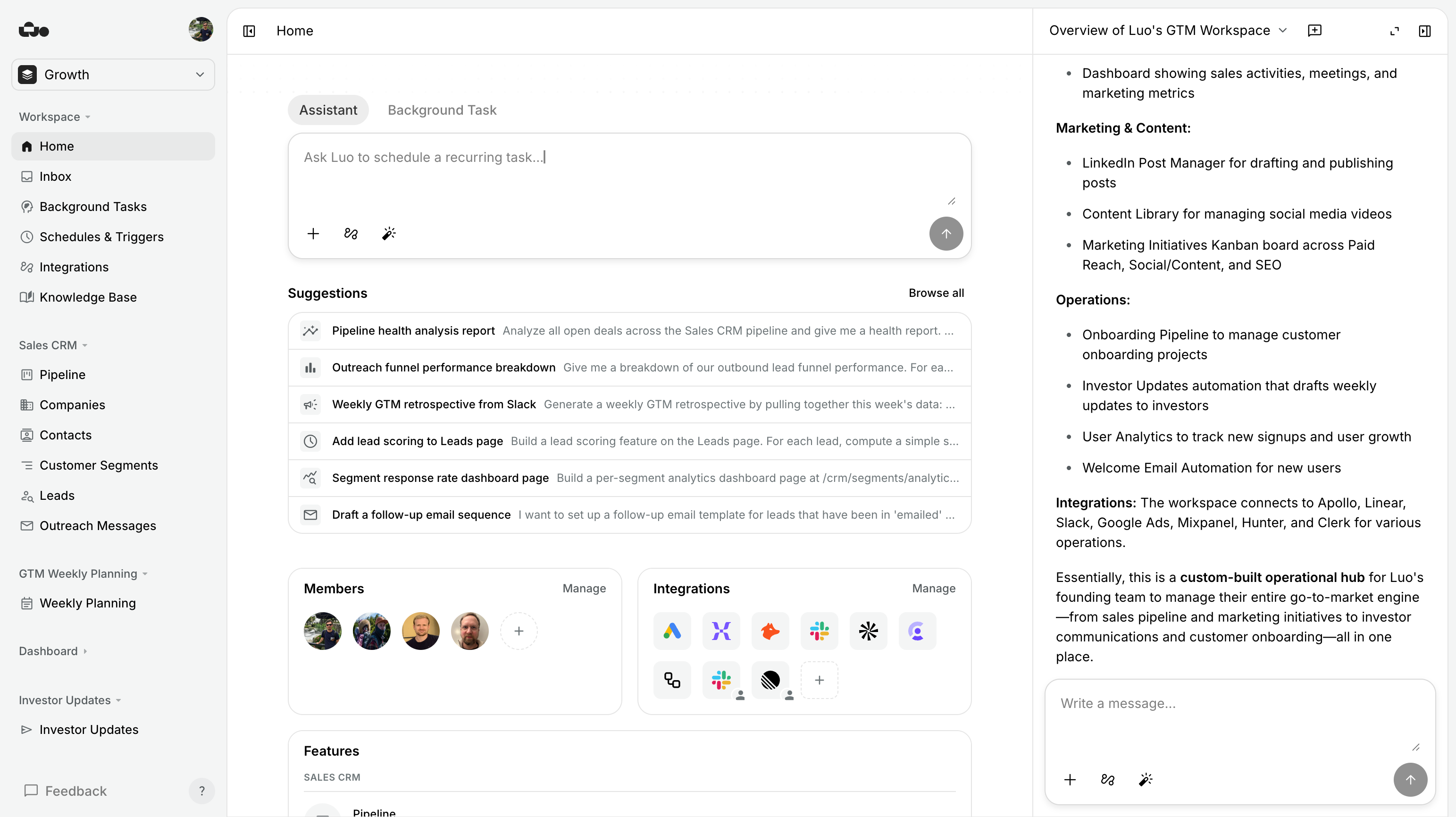
Try Luo in 5 minutes
Connect your Gmail, your Slack, your calendar. Describe the one workflow you’re most tired of running manually. See what Luo builds.