
Luo vs Zapier
Zapier is a pipe: trigger → action. Luo builds the whole workspace around the automation — pages, database, knowledge base, and scheduled tasks — generated from a conversation and shared with your team.
At a glance
| Feature | Zapier | Luo |
|---|---|---|
| What it is | Point-and-click automation platform — connect apps with triggers and actions | A workspace that builds your team's software and runs work for you — a Company OS |
| How you build | Pick a trigger, add action steps, configure each one | Describe what you want; the assistant builds the automation, the pages, and the database |
| Time to first working version | Minutes for a simple Zap; hours once it gets complex | Typically minutes — including the pages your team uses |
| Output | A Zap that runs in the background | A live workspace: automations + custom pages + database + scheduled tasks |
| Pages for your team | None built in — Zaps run silently or post into chat | Generated automatically: pages, tables, dashboards, forms |
| Database | None built in — connect an outside database or use Zapier Tables | Built in, structured from your description |
| AI assistance | AI steps you can drop into a Zap | An assistant that builds the automation and its pages itself — and edits both as you talk |
| Team model | One person owns each Zap; sharing is per-Zap | Built in — one teammate builds an automation, others enroll into it |
| Knowledge base | Not part of the product | Built in: docs, notes, and files linked to people and records |
| Maintenance | You maintain the Zap step by step | You describe what should change; the assistant updates the workspace |
| Pricing model | Per task executed (per run) | Per workspace seat — predictable |
| Best for | Anyone who needs to connect app A to app B | Teams that want a shared workspace where automations and pages live together |
The real difference: a pipe vs. a Company OS
Zapier is excellent at one thing: connecting service A to service B with rules in between. If you need “when a Typeform is submitted, create a row in a Google Sheet and post to Slack,” Zapier does it well — and it’s been doing it for over a decade.
Luo solves a different problem. When a team says “we need a way to triage incoming demo requests, score them, send the follow-up, schedule the call, and track Q&A across the deal,” the answer in Zapier is: build a Zap, then build a separate dashboard somewhere else, then store the data somewhere else, then duct-tape them together.
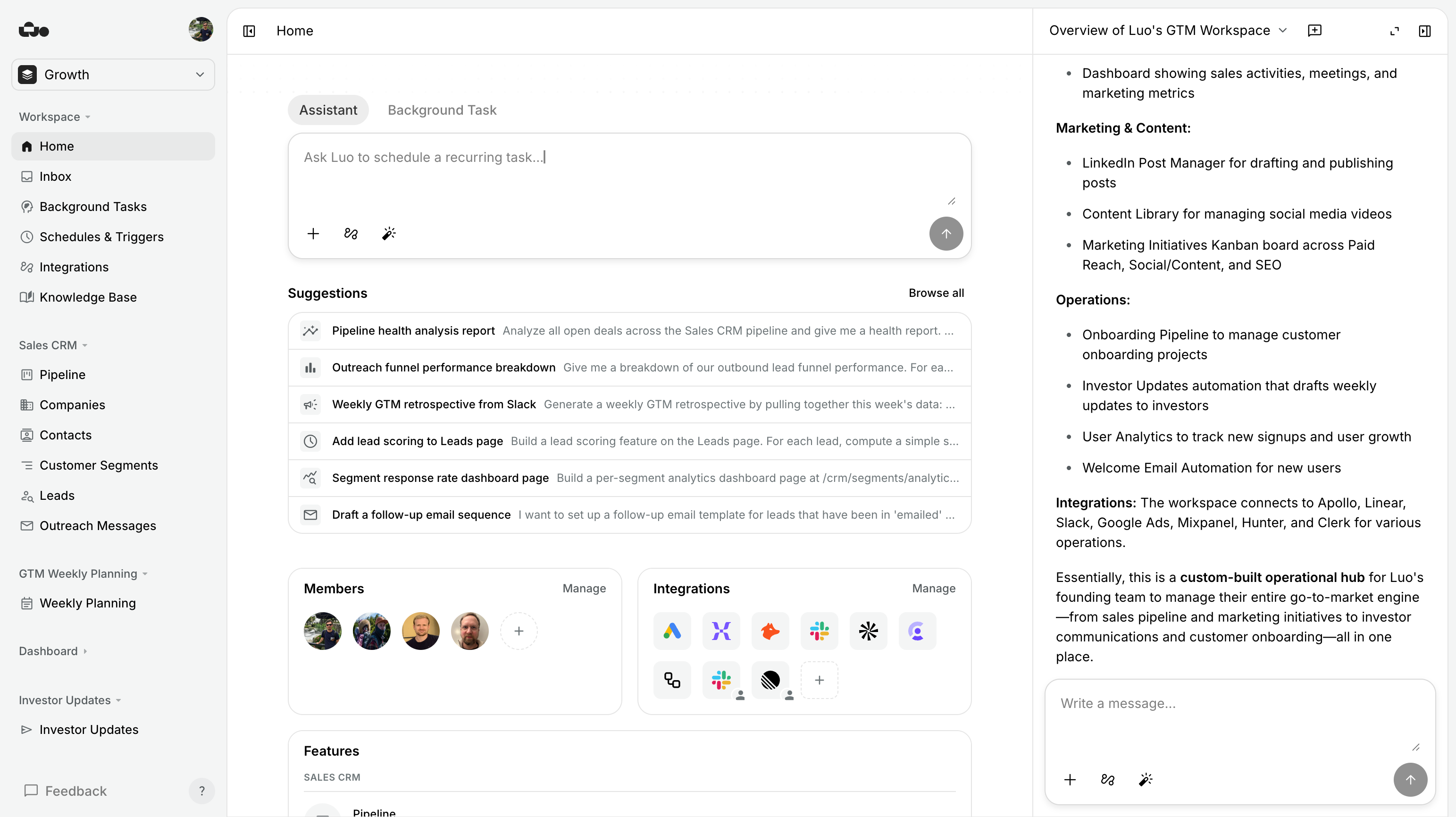
In Luo, the answer is: describe it once, and the entire workspace exists. Database, page, scheduled task, Gmail integration, Calendar booking — generated, live, and editable through the same conversation.
Zapier is a tool you use to build automations.
Luo is the workspace your team uses to do their work — automations included.
Two things matter here that other automation tools miss:
- Luo hides the technical work. You don’t pick triggers, build a sign-in system, write field mappings, or chain steps. You describe the outcome and authorize access to your tools; Luo builds the workflow.
- Luo builds the pages around the automation, not just the automation. Most automation tools finish by posting a message into a chat. Luo gives you custom pages to start the automation, adjust it, see its history, and analyse what’s happening over time.
And then there’s the Knowledge Base. Notes, docs, files, and links to people and records — sitting alongside the automations that use them. That’s what makes Luo a real Company OS, not just an automation tool.
When Zapier is the better choice. We’ll say this plainly because it’s true:
- You need to connect a long tail of apps quickly. Zapier has been doing this longer than anyone. For a one-off “when X happens, do Y” automation between two apps, it’s purpose-built and frictionless.
- You don’t need an interface. If the automation just runs in the background — no team interface, no dashboard, no data the team needs to look at — Zapier is the right level of tool.
- The work is “trigger → action → done.” Linear, simple Zaps with a clear start and finish are exactly Zapier’s lane.
- You want the most established player. Zapier has been around since 2011. It’s stable, well-documented, and unlikely to disappear.
- You’re already deep in Zapier’s ecosystem. Hundreds of Zaps already running? Don’t migrate for the sake of it.

When Luo is the better choice.
- You want a working internal tool, not a silent Zap. Luo gives you a real workspace — pages your team opens, tables they edit, dashboards they look at.
- You’re hitting Zapier’s “now I need a dashboard somewhere” wall. If you’ve already strung together Zapier + Airtable + Retool, that’s a workspace job. Luo collapses all of them.
- You don’t want to think about steps, fields, and mappings. Tell Luo the outcome. It handles how the data moves under the hood.
- More than one person needs to run or review the automation. One teammate builds it once; everyone else enrolls. Zaps are designed around one owner.
- You need database + pages + automation in one place. Building the same thing in Zapier means stitching Zapier + Tables + a dashboard + Retool. Luo is all of those in one workspace.
- You’re hiring AI to do the work, not just to assist. Luo’s assistant builds and edits the whole system. Zapier’s AI helps inside a Zap; it doesn’t build the whole workspace for you.
See it in action
Each of these is one workspace — automation and the pages your team uses to run and review it — generated from a conversation.


%20--%3e%3csvg%20version='1.1'%20id='Livello_1'%20xmlns='http://www.w3.org/2000/svg'%20xmlns:xlink='http://www.w3.org/1999/xlink'%20x='0px'%20y='0px'%20viewBox='0%200%20200%20200'%20enable-background='new%200%200%20200%20200'%20xml:space='preserve'%3e%3cg%3e%3cg%20transform='translate(3.75%203.75)'%3e%3cpath%20fill='%23FFFFFF'%20d='M148.882,43.618l-47.368-5.263l-57.895,5.263L38.355,96.25l5.263,52.632l52.632,6.579l52.632-6.579%20l5.263-53.947L148.882,43.618z'/%3e%3cpath%20fill='%231A73E8'%20d='M65.211,125.276c-3.934-2.658-6.658-6.539-8.145-11.671l9.132-3.763c0.829,3.158,2.276,5.605,4.342,7.342%20c2.053,1.737,4.553,2.592,7.474,2.592c2.987,0,5.553-0.908,7.697-2.724s3.224-4.132,3.224-6.934c0-2.868-1.132-5.211-3.395-7.026%20s-5.105-2.724-8.5-2.724h-5.276v-9.039H76.5c2.921,0,5.382-0.789,7.382-2.368c2-1.579,3-3.737,3-6.487%20c0-2.447-0.895-4.395-2.684-5.855s-4.053-2.197-6.803-2.197c-2.684,0-4.816,0.711-6.395,2.145s-2.724,3.197-3.447,5.276%20l-9.039-3.763c1.197-3.395,3.395-6.395,6.618-8.987c3.224-2.592,7.342-3.895,12.342-3.895c3.697,0,7.026,0.711,9.974,2.145%20c2.947,1.434,5.263,3.421,6.934,5.947c1.671,2.539,2.5,5.382,2.5,8.539c0,3.224-0.776,5.947-2.329,8.184%20c-1.553,2.237-3.461,3.947-5.724,5.145v0.539c2.987,1.25,5.421,3.158,7.342,5.724c1.908,2.566,2.868,5.632,2.868,9.211%20s-0.908,6.776-2.724,9.579c-1.816,2.803-4.329,5.013-7.513,6.618c-3.197,1.605-6.789,2.421-10.776,2.421%20C73.408,129.263,69.145,127.934,65.211,125.276z'/%3e%3cpath%20fill='%231A73E8'%20d='M121.25,79.961l-9.974,7.25l-5.013-7.605l17.987-12.974h6.895v61.197h-9.895L121.25,79.961z'/%3e%3cpath%20fill='%23EA4335'%20d='M148.882,196.25l47.368-47.368l-23.684-10.526l-23.684,10.526l-10.526,23.684L148.882,196.25z'/%3e%3cpath%20fill='%2334A853'%20d='M33.092,172.566l10.526,23.684h105.263v-47.368H43.618L33.092,172.566z'/%3e%3cpath%20fill='%234285F4'%20d='M12.039-3.75C3.316-3.75-3.75,3.316-3.75,12.039v136.842l23.684,10.526l23.684-10.526V43.618h105.263%20l10.526-23.684L148.882-3.75H12.039z'/%3e%3cpath%20fill='%23188038'%20d='M-3.75,148.882v31.579c0,8.724,7.066,15.789,15.789,15.789h31.579v-47.368H-3.75z'/%3e%3cpath%20fill='%23FBBC04'%20d='M148.882,43.618v105.263h47.368V43.618l-23.684-10.526L148.882,43.618z'/%3e%3cpath%20fill='%231967D2'%20d='M196.25,43.618V12.039c0-8.724-7.066-15.789-15.789-15.789h-31.579v47.368H196.25z'/%3e%3c/g%3e%3c/g%3e%3c/svg%3e)


Migrating from Zapier to Luo
You usually don’t migrate one Zap at a time. You describe the outcome the Zap was producing — “every time a customer fills out our demo form, qualify them, send a follow-up, and add them to our pipeline” — and Luo rebuilds it as a workspace that includes the automation, a page where the team can see and react to each new lead, and the database holding the deal history.
- Triggers — schedules, form submissions, and things happening in your connected tools all exist in Luo. You describe when something should happen.
- Filters and paths — instead of If/Path steps, you describe the rule in plain language.
- Multi-step Zaps — collapse into a single described outcome. The step-by-step setup is the assistant’s job, not yours.
- Code by Zapier — where you needed custom code, Luo writes and runs it for you, with web requests, integrations, and AI built in.
- Zapier Tables — Luo has a built-in database with tables and pages generated from the same description.
- No Zap to maintain. There’s no Zap editor. The “diagram” is the conversation that built it.
Pricing
| Feature | Zapier | Luo |
|---|---|---|
| Free | Limited free tier (100 tasks/month, 2-step Zaps only) | Free plan — get started immediately, no credit card |
| Pricing model | Per task executed + features by tier | Per workspace seat — predictable |
| Cost as you scale | A single automation can rack up thousands of tasks/month | Run as much as you want — pricing scales with people, not runs |
| Current rates | Published per-tier on zapier.com | See luo.app/pricing |
Luo’s pricing scales with people on your team, not with how often your automations run. A workspace that runs an automation a million times costs the same as one that runs it once. If your Zapier bill has been creeping up because of task volume, that’s exactly the cost dynamic Luo is built to avoid.
FAQ
Is Luo a no-code tool?
It's better described as a conversational tool. There are no triggers to pick, no action steps to configure, no field-mapping screens. You tell the assistant what you need; the assistant builds the automation and its pages together.
Can Luo do everything Zapier can do?
For the automation use cases most teams actually have — yes, and with the pages and database included. For very simple "trigger → one action" handoffs between two apps, Zapier is purpose-built and minimal-friction. For anything where you'd otherwise also need a dashboard, a database, or a team interface — Luo is the better fit.
Can I import my Zaps?
Not directly — the two work differently. The practical migration path is: describe the outcome the Zap was producing, and Luo builds the workspace version of it.
Is Luo cheaper than Zapier?
For most teams: yes, especially as automation volume grows. Zapier's pricing is per task; Luo's is per seat. If a workflow runs a million times a month, you don't pay a million times in Luo. Luo also replaces the dashboard / database / internal-tool spend you'd otherwise pile on top of Zapier.
Can Luo run on a schedule, or when something happens in another tool?
Yes. Luo can start work the moment something happens in a connected tool, and it can run tasks on a schedule. Both are built in.
Can I run Luo on my own servers?
Not today. Luo runs only in the cloud, and we run it for you.
Is Luo just Zapier with AI on top?
No. AI in Zapier is a step type inside a Zap. AI in Luo is the thing that builds the automation, the database, and the pages — and edits them as you talk. Different job.
Which is faster to set up?
For a simple "trigger → action" handoff between two apps, Zapier is faster. For anything that involves pages, a database, or more than one person using it, Luo is dramatically faster — because you're getting all three at once.
Try Luo in 5 minutes
Build the same thing you’d build in Zapier — and see what comes out the other side.
Last updated: June 2026. Luo is a cloud product we run for you; Zapier is a cloud automation platform. If anything’s out of date, tell us.