
Luo vs Notion
Both are betting on agents. Notion’s agents work inside the structure you’ve built. Luo’s assistant builds the workspace for you — pages, database, automations — shaped to the work, not adapted from a document model.
At a glance
| Feature | Notion | Luo |
|---|---|---|
| What it is | Documents + databases workspace, now with agents on top | A workspace that builds your team's software and runs work for you — a Company OS |
| The agent model | Agents work inside the Notion structure you've built (pages, databases, properties) | The assistant builds the workspace itself — pages, database, automation, all from a description |
| How you start | Design your databases, properties, and pages; then add agents | Describe what you want; the workspace exists |
| Time to first working version | Hours for the structure + minutes for the agent on top | Typically minutes for the whole thing — workspace, automation, pages |
| Output | Pages and databases your team reads and edits, with agents running tasks on them | A live workspace: automations, custom pages, database, scheduled tasks — all running |
| Custom pages per workflow | Notion's block + database views, within Notion's design language | Pages generated per workflow — tables, dashboards, charts, forms — tailored to the task |
| Database | Notion databases with properties and relations you design | Real database, structured from your description |
| Knowledge base | Notion's core strength — agents lean on it for Q&A | Built in: docs, notes, and files linked to people and records across automations |
| Integrations | Connectors via Notion AI + Enterprise Search across your tools | Extensive cloud integrations — Gmail, Slack, Linear, HubSpot, Google Workspace, and more |
| Where agents live | Business / Enterprise plans + AI add-on | Built in on every plan — Free, Starter, Individual |
| Team model | Shared workspace; everyone edits pages and databases | Built in — one teammate builds an automation, others enroll into it |
| Run alongside each other? | — | Yes — Luo integrates with Notion; keep your docs there, build new workflows in Luo |
| Best for | Teams who already live in Notion and want agents on top of what they've built | Teams who want their tools (not just their docs) generated on demand |
The real difference: agents on a document tool vs. an assistant that builds the workspace
Notion has spent 2025–26 turning into an agent platform. Custom Agents, Q&A agents, Notion Agent, Enterprise Search — they’re real, they’re available, and they’re good. If you already have a mature Notion workspace, putting agents on top of it is genuinely powerful.
But the starting point is still Notion’s shape. Pages, blocks, databases, properties, permissions — those are the building blocks. The agent is a layer that works on top of them. For that to work well, you need a well-designed Notion workspace underneath: hours or days of setup before the agent has anything good to act on.
Luo flips the order. You describe what the team is trying to do, and the workspace appears — custom-shaped to the work, not adapted from a document model. The database, the page, the automation, the integration, the knowledge base — all generated together. In Luo, the AI isn’t a layer; it is the thing that builds the workspace.
Notion adds agents on top of documents.
Luo is a workspace built by an AI assistant.
Two things that matter here:
- Luo hides the technical work. You don’t design database structures, pick property types, set up relations between databases, or assemble views. You describe the outcome and authorize access to your tools; the assistant builds the workspace.
- Luo builds the pages around the automation, not just the automation. Notion’s agents act inside Notion’s pages and databases. Luo generates custom pages to start the automation, adjust it, see its history, and analyse what’s happening over time — alongside docs and tables, shaped to that specific workflow.
And then there’s the Knowledge Base. Notion’s knowledge base is best-in-class for documents. Luo’s Knowledge Base is built for a different job: docs, notes, and files linked to the people, deals, and records the automations are touching. Connective tissue, not a separate library.
When Notion is the better choice. We’ll say this plainly because it’s true:
- You already live in Notion. Years of pages, dozens of databases, the whole company knows it. Putting agents on top of that is a much smaller change than migrating to a new tool. Don’t migrate for the sake of it.
- Your work is mostly documents. Wikis, handbooks, meeting notes, long-form thinking, project briefs. Notion’s editor is best-in-class for this.
- Q&A across your knowledge base is the main job. Notion’s Q&A agents and Enterprise Search are designed exactly for this. If that’s the outcome you want, you’ll be happy.
- You want maximum design flexibility on a page. Notion’s block model gives finer control over how a page looks than Luo does. Luo prioritises working pages generated for a purpose.
- You’re a large enterprise. Notion is hard-pivoted to enterprise — security, admin tooling, procurement relationships. If that matters more than how fast you get value, that’s their lane.

When Luo is the better choice.
- You don’t want to design the structure before you can use the AI. In Notion, the agent needs a workspace to act on. In Luo, the assistant builds the workspace from your description.
- You want the workspace shaped to the work, not adapted from a document tool. Pages and databases generated for a demo tracker or a sales pipeline — not retro-fitted out of Notion blocks.
- You’re hitting Notion’s “this should be software” wall. 30+ databases held together with formulas, syncing tools, and Zapier — and now agents bolted on top. That’s a sign you’ve outgrown the document layer.
- You need real automations, built in. Scheduled tasks, triggers from other tools, integrations doing work in the background — part of the same generated workspace, not agents on top of a database.
- You don’t want agents gated behind the top tier. Luo’s assistant is the product on every plan, starting with Free.
- Your team isn’t (or doesn’t want to be) Notion-power-users. Notion rewards mastery of its building blocks. Luo’s way in is a conversation — your team doesn’t need to learn the tool.
See it in action
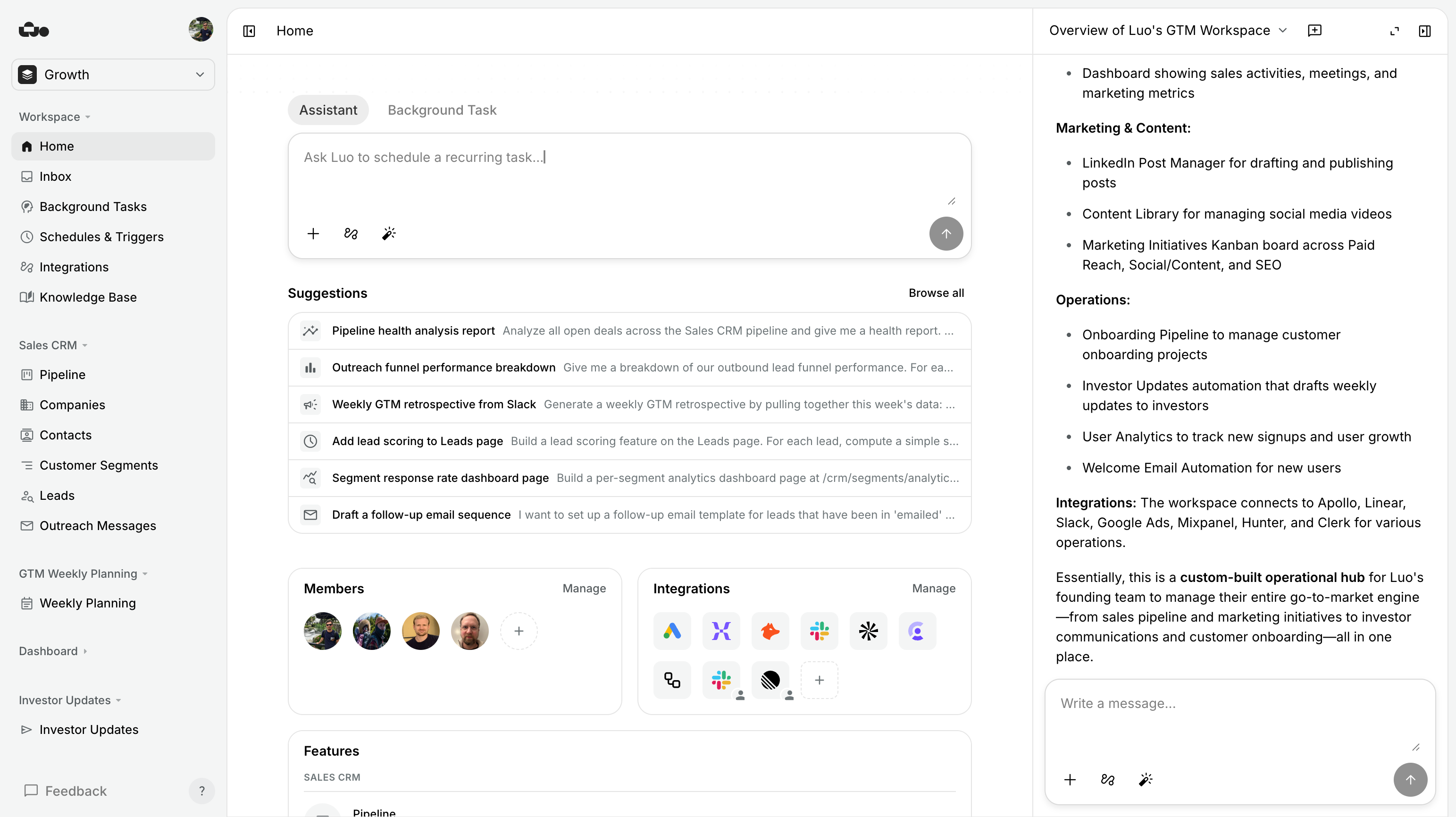
Each of these is one workspace — automation, custom pages, and the database underneath — generated from a conversation. None started from a database you had to design first.

%20--%3e%3csvg%20version='1.1'%20id='Livello_1'%20xmlns='http://www.w3.org/2000/svg'%20xmlns:xlink='http://www.w3.org/1999/xlink'%20x='0px'%20y='0px'%20viewBox='0%200%20200%20200'%20enable-background='new%200%200%20200%20200'%20xml:space='preserve'%3e%3cg%3e%3cg%20transform='translate(3.75%203.75)'%3e%3cpath%20fill='%23FFFFFF'%20d='M148.882,43.618l-47.368-5.263l-57.895,5.263L38.355,96.25l5.263,52.632l52.632,6.579l52.632-6.579%20l5.263-53.947L148.882,43.618z'/%3e%3cpath%20fill='%231A73E8'%20d='M65.211,125.276c-3.934-2.658-6.658-6.539-8.145-11.671l9.132-3.763c0.829,3.158,2.276,5.605,4.342,7.342%20c2.053,1.737,4.553,2.592,7.474,2.592c2.987,0,5.553-0.908,7.697-2.724s3.224-4.132,3.224-6.934c0-2.868-1.132-5.211-3.395-7.026%20s-5.105-2.724-8.5-2.724h-5.276v-9.039H76.5c2.921,0,5.382-0.789,7.382-2.368c2-1.579,3-3.737,3-6.487%20c0-2.447-0.895-4.395-2.684-5.855s-4.053-2.197-6.803-2.197c-2.684,0-4.816,0.711-6.395,2.145s-2.724,3.197-3.447,5.276%20l-9.039-3.763c1.197-3.395,3.395-6.395,6.618-8.987c3.224-2.592,7.342-3.895,12.342-3.895c3.697,0,7.026,0.711,9.974,2.145%20c2.947,1.434,5.263,3.421,6.934,5.947c1.671,2.539,2.5,5.382,2.5,8.539c0,3.224-0.776,5.947-2.329,8.184%20c-1.553,2.237-3.461,3.947-5.724,5.145v0.539c2.987,1.25,5.421,3.158,7.342,5.724c1.908,2.566,2.868,5.632,2.868,9.211%20s-0.908,6.776-2.724,9.579c-1.816,2.803-4.329,5.013-7.513,6.618c-3.197,1.605-6.789,2.421-10.776,2.421%20C73.408,129.263,69.145,127.934,65.211,125.276z'/%3e%3cpath%20fill='%231A73E8'%20d='M121.25,79.961l-9.974,7.25l-5.013-7.605l17.987-12.974h6.895v61.197h-9.895L121.25,79.961z'/%3e%3cpath%20fill='%23EA4335'%20d='M148.882,196.25l47.368-47.368l-23.684-10.526l-23.684,10.526l-10.526,23.684L148.882,196.25z'/%3e%3cpath%20fill='%2334A853'%20d='M33.092,172.566l10.526,23.684h105.263v-47.368H43.618L33.092,172.566z'/%3e%3cpath%20fill='%234285F4'%20d='M12.039-3.75C3.316-3.75-3.75,3.316-3.75,12.039v136.842l23.684,10.526l23.684-10.526V43.618h105.263%20l10.526-23.684L148.882-3.75H12.039z'/%3e%3cpath%20fill='%23188038'%20d='M-3.75,148.882v31.579c0,8.724,7.066,15.789,15.789,15.789h31.579v-47.368H-3.75z'/%3e%3cpath%20fill='%23FBBC04'%20d='M148.882,43.618v105.263h47.368V43.618l-23.684-10.526L148.882,43.618z'/%3e%3cpath%20fill='%231967D2'%20d='M196.25,43.618V12.039c0-8.724-7.066-15.789-15.789-15.789h-31.579v47.368H196.25z'/%3e%3c/g%3e%3c/g%3e%3c/svg%3e)


You don’t have to migrate — run Luo alongside Notion
You don’t have to move off Notion to start using Luo. Luo integrates with Notion — your Notion pages and databases are reachable from a Luo workspace, so the team’s accumulated content stays where it is, and the new workflows live where they belong.
The realistic pattern most teams adopt:
- Keep Notion for what it’s best at — docs, wikis, the company handbook, long-form thinking, project briefs.
- Build the workflows that should be software in Luo — sales pipelines, demo trackers, marketing rollups, daily briefings. Generated from a conversation, with custom pages and automations baked in.
- Connect the two via Luo’s Notion integration, so the workspace in Luo can read from and write to your Notion pages and databases when it makes sense.
If you do want to consolidate over time: describe the system the Notion was trying to be, and let Luo rebuild it as a workspace — the database, the page, the automation, the history. Move workflows over one at a time, not the whole workspace at once.
Pricing
| Feature | Notion | Luo |
|---|---|---|
| Free | Free tier (limited AI) | Free plan — full assistant included, no credit card |
| AI / agents | Most agent capabilities on Business/Enterprise + AI add-on | Built in on every plan, including Free |
| Pricing model | Per user seat + AI add-on | Per workspace seat — predictable |
| Current rates | Published per-tier on notion.so | See luo.app/pricing |
The most material pricing difference: in Notion, the agent capabilities you’d want are mostly on paid tiers and often involve an AI add-on. In Luo, the assistant that builds your workspace is the product — included on every plan, including Free.
FAQ
Doesn't Notion now have agents too? How is Luo different?
Notion's agents work inside the Notion structure you've built — pages, databases, properties. They're a layer on top. Luo's assistant builds the workspace itself from your description — the database, the pages, the automation, and the integration are generated together, shaped to the work. Different starting point, different shape of output.
Do I have to migrate off Notion to use Luo?
No. Luo has a Notion integration, so you can keep using Notion for docs and wikis and run Luo alongside it for workflows that should be software. The two talk to each other — Luo can read from and write to your Notion pages and databases. Most teams end up running both.
Should I move my company wiki into Luo?
Probably not — Notion is best-in-class for wikis and we wouldn't try to replace that. Use Luo's Knowledge Base for docs linked to active workflows (deal notes, account briefs, playbooks tied to automations). Most teams run both.
Can Luo do what Notion Q&A / Enterprise Search does?
For knowledge accumulated over years across many tools — Notion's Enterprise Search is purpose-built for that and very good at it. Luo's strength is the opposite end: the workspace knows the records it's working on because the automations are touching them in real time.
Does Luo have a block editor like Notion?
Luo's pages are generated for a purpose, not authored block-by-block. If the workflow needs a long-form doc, you write it in the Knowledge Base, where it's linked to the records and automations that touch it.
Can I import my Notion databases?
Not directly. The practical migration path: describe the workflow the Notion database was supporting, and Luo rebuilds the database, page, and automation together.
Is Luo cheaper than Notion?
For a team paying for Notion + Notion AI + Zapier + Airtable + a dashboard tool: yes, often by a lot. For a team that just needs docs and lightweight tracking: Notion's free tier is hard to beat. The pricing comparison gets interesting the moment you actually need agents — those mostly live on Notion's higher tiers.
Can Luo run on a schedule, or when something happens in another tool?
Yes. Luo can start work the moment something happens in a connected tool, and it can run tasks on a schedule. Both are built in.
Can I run Luo on my own servers?
Not today. Luo runs only in the cloud, and we run it for you. Notion is also cloud-only, so the two are even there.
Which is faster to set up a new workflow?
For "write a doc and share it" — Notion, obviously. For "set up a database, pages, an automation, and an integration that work together" — Luo, by a wide margin, because you're getting all of them at once from one description, with no database-design step in between.
Try Luo in 5 minutes
You don’t have to leave Notion. Keep your wiki where it is. Pick one workflow you’ve been duct-taping together in Notion and describe what it’s trying to be to Luo.
Last updated: June 2026. Notion is a product of Notion Labs; Luo is unaffiliated. If anything’s out of date, tell us.