
Luo vs Claude Code for internal tools
Claude Code is a coding assistant in your terminal: it edits a repository you own. Luo is built for the other job — the internal tools your team keeps needing (dashboards, request trackers, approval forms, ops boards) without queueing an engineering project to build one.
 Watch a Luo vs Claude Code demo
At a glance
| Feature | Claude Code | Luo |
|---|---|---|
| What it is | Anthropic's terminal-based coding assistant for developers | A workspace that builds internal tools for your team from a chat |
| Who uses it | Engineers, in a terminal, inside a codebase | Anyone on the team — ops, sales, finance, HR, plus engineers |
| What you get | Source code in a repo you own | A working internal tool your team opens by URL |
| What it takes to run it | Hosting, database, logins, deploys — your infrastructure | Nothing — pages, database, logins, and integrations are built in |
| Changing the tool later | Edit the code, review, deploy | Describe the change in the same chat that built it |
| Best for | Engineering teams shipping product code they maintain | Teams who need internal tools without queueing engineering time |
Two paths to an internal tool
Ops asks for a dashboard that shows live status across Slack, Linear, and HubSpot. Finance wants a small approval form. Sales wants a way to scrub leads before they hit the CRM. Every team has the list. The two tools take it on differently.
With Claude Code, each item is an engineering project. A developer opens the terminal, describes the tool, and Claude edits files in a repo. The output is source code. From there the normal path applies: review, tests, a database to set up, a login system, somewhere to deploy it, settings and secrets to manage, a URL the team can reach, and someone on call when it breaks. Every internal tool becomes a small service the engineering team keeps alive.
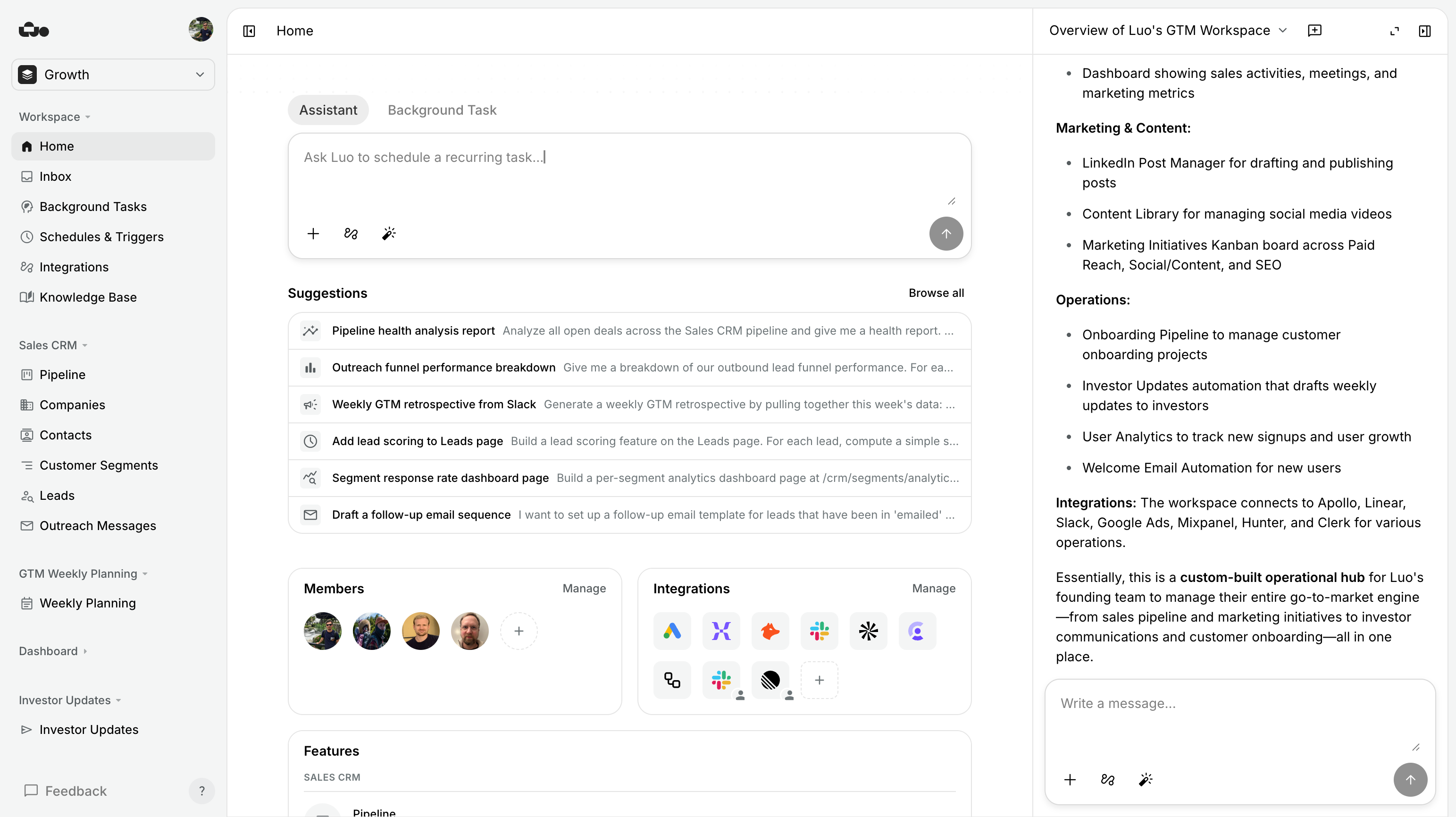
With Luo, the same job stays in chat. The person who needs the tool — not necessarily a developer — describes it and the workspace appears: pages, a database, the integrations it needs, scheduled work where it applies, and a URL the team opens. No codebase, nothing to deploy, no hosting bill, nobody on call.
Claude Code produces source code your team owns and runs.
Luo produces a working internal tool your team opens and uses.
Two things change when the tool is built in Luo:
- The person who needs it can build it. No ticket, no JIRA queue, no waiting for the next planning cycle. The ops lead who knows what the dashboard needs to show is the one describing it.
- The tool keeps living in chat. When the shape of the work shifts — a new field, a different grouping, an extra integration — you describe the change in the same chat that built it. No code review, nothing to deploy.
The internal tools backlog
The honest case for Luo over Claude Code on internal tools isn’t that Claude Code can’t generate the code. It can. The case is what comes after the code is generated.
An internal tool built in a repo has a life. It needs a place to run, credentials to hold, a way for teammates to reach it, a login screen, a database, backups, logs to keep, an upgrade path. Once you have five of these on the go, you have a small internal platform — and someone owns it.
In Luo that life is taken care of. The tool lives in a workspace. The data lives in the workspace database. The team reaches it by URL. Access comes from the workspace seat. Updating it means “open the chat and describe the change.” The cost the team pays is the seat, not an engineering team.
When Claude Code is the better choice. For these jobs, reach for Claude Code:
- The tool has to live inside an existing application. A new admin screen in your customer-facing product, a feature alongside the rest of the codebase, a refactor of an internal service you already run — that’s code work in a repo, and Claude Code is built for it.
- You need control of how it runs. Specific database, specific language, specific place to host it, specific way of talking to other systems — if any of these are dictated, the work belongs in code.
- The data has to stay where it is. If the tool must connect to a system that can’t leave your network, or to data that has to stay inside your own systems, build it where that data already lives.
- It’s product code, not internal tooling. Anything your customers see is product code. Build it where product code is built.

When Luo is the better choice.
- The team needs an internal tool and engineering isn’t the bottleneck they want. Dashboards, trackers, request forms, approval flows, ops boards — the things on every team’s wish list that never quite make it onto the engineering plan.
- The person who needs the tool isn’t a developer. Ops, finance, sales, HR, support — describing the tool in chat and using it the same day.
- You want the tool to share data with other internal tools. One workspace database, multiple tools and pages on top, the assistant in the same chat that can look across all of them.
- The work involves cloud apps the team already uses. Gmail, Slack, Linear, HubSpot, Google Workspace — connect once and the assistant reads and writes to them.
- You don’t want to run it yourself. No codebase, no hosting, no login system per tool, nobody on call for the dashboard ops asked for.
- The tool will need to change next week. Internal tools shift with how the team works. Changing them in chat is faster than a code change and review.
Internal tools, already built
Each of these is one workspace: the pages, the database, and the automations behind them — assembled from one conversation. Open any of them and you have a working tool, not a starting point.

%20--%3e%3csvg%20version='1.1'%20id='Livello_1'%20xmlns='http://www.w3.org/2000/svg'%20xmlns:xlink='http://www.w3.org/1999/xlink'%20x='0px'%20y='0px'%20viewBox='0%200%20200%20200'%20enable-background='new%200%200%20200%20200'%20xml:space='preserve'%3e%3cg%3e%3cg%20transform='translate(3.75%203.75)'%3e%3cpath%20fill='%23FFFFFF'%20d='M148.882,43.618l-47.368-5.263l-57.895,5.263L38.355,96.25l5.263,52.632l52.632,6.579l52.632-6.579%20l5.263-53.947L148.882,43.618z'/%3e%3cpath%20fill='%231A73E8'%20d='M65.211,125.276c-3.934-2.658-6.658-6.539-8.145-11.671l9.132-3.763c0.829,3.158,2.276,5.605,4.342,7.342%20c2.053,1.737,4.553,2.592,7.474,2.592c2.987,0,5.553-0.908,7.697-2.724s3.224-4.132,3.224-6.934c0-2.868-1.132-5.211-3.395-7.026%20s-5.105-2.724-8.5-2.724h-5.276v-9.039H76.5c2.921,0,5.382-0.789,7.382-2.368c2-1.579,3-3.737,3-6.487%20c0-2.447-0.895-4.395-2.684-5.855s-4.053-2.197-6.803-2.197c-2.684,0-4.816,0.711-6.395,2.145s-2.724,3.197-3.447,5.276%20l-9.039-3.763c1.197-3.395,3.395-6.395,6.618-8.987c3.224-2.592,7.342-3.895,12.342-3.895c3.697,0,7.026,0.711,9.974,2.145%20c2.947,1.434,5.263,3.421,6.934,5.947c1.671,2.539,2.5,5.382,2.5,8.539c0,3.224-0.776,5.947-2.329,8.184%20c-1.553,2.237-3.461,3.947-5.724,5.145v0.539c2.987,1.25,5.421,3.158,7.342,5.724c1.908,2.566,2.868,5.632,2.868,9.211%20s-0.908,6.776-2.724,9.579c-1.816,2.803-4.329,5.013-7.513,6.618c-3.197,1.605-6.789,2.421-10.776,2.421%20C73.408,129.263,69.145,127.934,65.211,125.276z'/%3e%3cpath%20fill='%231A73E8'%20d='M121.25,79.961l-9.974,7.25l-5.013-7.605l17.987-12.974h6.895v61.197h-9.895L121.25,79.961z'/%3e%3cpath%20fill='%23EA4335'%20d='M148.882,196.25l47.368-47.368l-23.684-10.526l-23.684,10.526l-10.526,23.684L148.882,196.25z'/%3e%3cpath%20fill='%2334A853'%20d='M33.092,172.566l10.526,23.684h105.263v-47.368H43.618L33.092,172.566z'/%3e%3cpath%20fill='%234285F4'%20d='M12.039-3.75C3.316-3.75-3.75,3.316-3.75,12.039v136.842l23.684,10.526l23.684-10.526V43.618h105.263%20l10.526-23.684L148.882-3.75H12.039z'/%3e%3cpath%20fill='%23188038'%20d='M-3.75,148.882v31.579c0,8.724,7.066,15.789,15.789,15.789h31.579v-47.368H-3.75z'/%3e%3cpath%20fill='%23FBBC04'%20d='M148.882,43.618v105.263h47.368V43.618l-23.684-10.526L148.882,43.618z'/%3e%3cpath%20fill='%231967D2'%20d='M196.25,43.618V12.039c0-8.724-7.066-15.789-15.789-15.789h-31.579v47.368H196.25z'/%3e%3c/g%3e%3c/g%3e%3c/svg%3e)
'%3e%3cpath%20d='M1.22541%2061.5228C1.00291%2060.5743%202.13289%2059.9769%202.82179%2060.6658L39.3342%2097.1782C40.0231%2097.8671%2039.4257%2098.9971%2038.4772%2098.7746C20.0515%2094.4522%205.54779%2079.9485%201.22541%2061.5228ZM0.00189135%2046.8891C-0.0157524%2047.1724%200.0907635%2047.449%200.291463%2047.6497L52.3503%2099.7085C52.551%2099.9092%2052.8276%20100.016%2053.1109%2099.9981C55.4801%2099.8505%2057.8047%2099.5381%2060.0733%2099.0722C60.8378%2098.9152%2061.1034%2097.9759%2060.5515%2097.4241L2.57595%2039.4485C2.02409%2038.8966%201.08478%2039.1622%200.927776%2039.9267C0.461861%2042.1953%200.149456%2044.5199%200.00189135%2046.8891ZM4.21093%2029.7054C4.04444%2030.0792%204.12924%2030.516%204.41858%2030.8054L69.1946%2095.5814C69.484%2095.8708%2069.9208%2095.9556%2070.2946%2095.7891C72.0807%2094.9935%2073.8117%2094.0964%2075.4801%2093.1051C76.0322%2092.7771%2076.1174%2092.0184%2075.6633%2091.5644L8.43566%2024.3367C7.98157%2023.8826%207.22295%2023.9678%206.89492%2024.5199C5.9036%2026.1883%205.00649%2027.9193%204.21093%2029.7054ZM12.6587%2018.074C12.2886%2017.7039%2012.2657%2017.1103%2012.6144%2016.7199C21.7795%206.45931%2035.1114%200%2049.9519%200C77.5927%200%20100%2022.4073%20100%2050.0481C100%2064.8886%2093.5407%2078.2205%2083.2801%2087.3856C82.8898%2087.7343%2082.2961%2087.7114%2081.9259%2087.3413L12.6587%2018.074Z'%20fill='black'/%3e%3c/g%3e%3cdefs%3e%3cclipPath%20id='clip0_74_9'%3e%3crect%20width='100'%20height='100'%20fill='white'/%3e%3c/clipPath%3e%3c/defs%3e%3c/svg%3e)


Which tool fits the job
If you find yourself…
opening Claude Code to start a new repo for the third dashboard this quarter — that’s a sign the work belongs in Luo instead, where each one is a workspace, not a service.
If you find yourself…
writing the same login and database code you wrote last time — Luo skips that step. The workspace comes with both.
If you have…
an engineering team and a separate internal-tools backlog, consider letting the people on the backlog build in Luo while your engineers stay on product. That’s the split where both tools earn their keep.
If the tool…
is going to be used by your customers, it belongs in your product codebase. Claude Code is the right choice.
Pricing
| Feature | Claude Code | Luo |
|---|---|---|
| Free tier | No — paid per developer | Yes — start free, no credit card |
| Pricing model | Per-developer subscription | Per workspace seat |
| Hosting cost | On top — you pay for the servers the tool runs on | Included — tools run on Luo |
| Cost of distributing to teammates | Servers, login setup, and ongoing engineering upkeep | A workspace seat |
| Current rates | See Anthropic pricing | See luo.app/pricing |
Claude Code’s sticker price is the developer subscription. The real bill for internal tools is the servers each one lives on and the engineering time spent keeping them alive. Luo’s cost scales with the humans using the workspace — not with tools, automations, or storage.
FAQ
Is Luo a replacement for Claude Code?
Not for shipping product code — Claude Code is the right tool when you're editing an existing repository, refactoring services, or building features inside software you maintain. Luo replaces Claude Code for the internal tools job: dashboards, request trackers, approval forms, ops boards. Tools your team needs but doesn't want to staff an engineer against.
Why not just use Claude Code to build internal tools?
You can, and engineers do. The cost shows up after the prompt: you still own a repo, a database, hosting, logins, deploys, and someone on call when something breaks. Internal tools have a way of stacking up. Each one becomes a small service your platform team has to keep alive. Luo gives the tool a home you don't have to run.
Do non-engineers actually use Luo themselves?
Yes — that's the design. The person who needs the tool describes it in chat; Luo builds it. Ops, finance, sales, HR, support all build their own tools in Luo without a ticket queued against engineering.
What about access control? Internal tools touch sensitive data.
Workspaces are private to the people invited. Within a workspace you control who sees what. Integrations connect with the credentials of whoever set them up, so a tool that reads Gmail reads the inbox of the person who linked it. There's no separate engineering team building a login system for each tool.
Can engineers still help shape the tools?
Often the most productive setup. A developer who knows the data sits with the team for an hour, builds three internal tools in Luo with the right structure, and hands them over. Faster than scoping a quarter-long internal-tools project; everyone uses the result the same day.
What happens when the tool needs to change?
Open the workspace, describe the change in the same chat that built it. No code review, nothing to deploy. The person using the tool can usually make the change themselves.
Does Luo use Claude under the hood?
Luo isn't tied to one model. It picks the best available AI model (including Claude and other leading models) for each task. You don't manage any AI provider accounts or keys; Luo handles it.
When would I keep using Claude Code instead?
When the thing being built is product code in a repository you own — a service, a customer-facing feature, a refactor of an existing codebase. When the internal tool has to live inside an existing application your team maintains. When you need control over the database design, where it runs, or exactly how it talks to other systems. Those are Claude Code's home turf.
Build an internal tool in the next 5 minutes
Pick the tool on the team’s wish list that keeps slipping off the engineering plan. Describe it to Luo. See it open in a workspace your team can use.
Last updated: June 2026. Claude Code is a product of Anthropic; Luo is unaffiliated. If anything’s out of date, tell us.