
Luo vs Microsoft Copilot
Microsoft Copilot is AI added inside the apps your team already uses. Luo builds the workspace itself — pages, database, automations — shaped to the work, no Microsoft 365 required.
At a glance
| Feature | Microsoft 365 Copilot | Luo |
|---|---|---|
| What it is | AI layer added inside Microsoft 365 — chat, in-app help, Copilot Studio for agents | A workspace that builds your team's software and runs work for you — a Company OS |
| Where it lives | Inside Outlook, Word, Excel, Teams, PowerPoint, SharePoint | In the browser, as standalone workspaces |
| The agent model | Agents work inside Microsoft's apps and data (Copilot Studio + Agent Store) | The assistant builds the workspace itself — pages, database, automation, all from a description |
| How you start | Have a company Microsoft 365 account (a "tenant"), then add Copilot on top | Sign up, describe what you want, the workspace exists |
| Time to first working version | Fast for "summarise this email". Hours-to-days for a Copilot Studio agent. | Typically minutes — for the whole workspace, automation, and pages |
| Output | AI suggestions inside Office apps; agents that act across Microsoft data | A live workspace: automations, custom pages, database, scheduled tasks — all running |
| Custom pages per workflow | Lives inside the Office apps (Outlook reading pane, Word sidebar, Teams chat) | Pages generated per workflow — tables, dashboards, forms — shaped to the task |
| Database | SharePoint / Dataverse via Copilot Studio | Real database, structured from your description |
| Integrations | 100+ connectors, optimised for the Microsoft ecosystem | Extensive cloud integrations — Gmail, Slack, Linear, HubSpot, Google Workspace, plus Outlook, Teams, OneDrive |
| Microsoft dependency | Required — Microsoft 365 account + Copilot license | None — works whether you use Microsoft, Google, or both |
| Team model | Enterprise-shaped — IT admins, license assignment, security gates | Built in — one teammate builds an automation, others enroll into it |
| Pricing | ~$30/user/month for Microsoft 365 Copilot (on top of a Microsoft 365 license) | Free plan plus paid tiers, standalone — see luo.app/pricing |
| Best for | Microsoft-heavy enterprises wanting AI inside the tools they already use | Teams who want the workspace itself generated for the work, regardless of ecosystem |
The real difference: AI in your apps vs. an assistant that builds the workspace
Microsoft 365 Copilot is, fundamentally, an AI layer Microsoft adds to the apps your team already uses. Outlook drafts emails. Word writes from a brief. Excel analyses a sheet. Teams summarises a meeting. Copilot Studio lets you build agents on top of SharePoint and Dataverse. If your team lives in Office, that’s a real productivity boost — and Microsoft’s enterprise security is genuinely strong.
But the starting point is still Microsoft’s shape. Outlook is the email app. Word is the writing app. Copilot makes those apps smarter — it doesn’t shape itself around a specific workflow. For a marketing team that wants a board to track initiatives, weekly key numbers, a Slack rollup, and a database to back it all, Copilot’s answer is “build it in SharePoint, connect it with Copilot Studio, manage the licenses.” Hours-to-days, with a Microsoft admin in the loop.
Luo flips the order. You describe what the team is trying to do, and the workspace appears — custom-shaped to the work, not adapted from Microsoft’s apps. The database, the page, the automation, the integration, the knowledge base — all generated together. No Microsoft 365 account needed, no Copilot Studio learning curve, no IT-run license rollout.
Microsoft Copilot is AI added to Microsoft’s apps.
Luo is a workspace built by an AI assistant, shaped to the work.
Two things that matter:
- Luo hides the technical work. You don’t pick connectors, configure permissions, design SharePoint sites, or build an agent in Copilot Studio. You describe the outcome; the assistant handles the connections underneath.
- Luo builds the pages around the automation, not just the automation. Copilot’s screens are Microsoft’s screens — the Outlook reading pane, the Word sidebar, a Teams card. Luo generates custom pages to start the automation, adjust it, see its history, and analyse what’s happening over time, shaped to that specific workflow.
When Microsoft 365 Copilot is the better choice. We’ll say this plainly because it’s true:
- Your company is Microsoft-first. Outlook, Teams, SharePoint, OneDrive, Word, Excel everywhere. Copilot is built into that world. The closer you live to it, the more value it extracts.
- You’re a large enterprise with strong Microsoft procurement. Copilot’s enterprise security, compliance, and admin tools are mature and well-documented.
- The job is “make Office smarter.” Summarising an email thread, drafting a reply, building a deck from a brief — all best done where the data already lives.
- You’re already paying for Microsoft 365 E3/E5 + Copilot. The marginal cost of “use Copilot more” is zero.
- You want agents that act across SharePoint, Dataverse, and the Microsoft Graph. Copilot Studio is built exactly for that — a low-code (mostly point-and-click) agent builder inside Microsoft’s own data systems.

When Luo is the better choice.
- The work isn’t bound to Office apps. You want a workspace shaped to a workflow — a demo tracker, a marketing rollup, a daily briefing — not an AI layer inside Outlook or Word.
- Your team isn’t pure-Microsoft. Gmail, Slack, Linear, and HubSpot are among your tools. Luo supports them all fully, alongside Outlook and Teams.
- You don’t want to design the structure before the AI can act. In Copilot Studio, the agent acts on data you’ve configured. In Luo, the assistant builds the workspace from your description.
- You’re not running on Microsoft 365. Copilot’s value scales with how much of your work lives in Microsoft 365. If that’s not your world, the dependency is the cost.
- You want the AI on every plan, including Free. Luo’s assistant is included on every plan, starting with Free. Microsoft 365 Copilot is ~$30/user/month on top of your Microsoft 365 license.
- You’d rather not involve IT to launch the next workflow. A founder or ops lead can describe what they need and have it live in minutes. No Microsoft admin setup, no license assignment.
See it in action
Each of these is one workspace — automation, custom pages, and the database underneath — generated from a conversation. None of these started from a Microsoft 365 account.

%20--%3e%3csvg%20version='1.1'%20id='Livello_1'%20xmlns='http://www.w3.org/2000/svg'%20xmlns:xlink='http://www.w3.org/1999/xlink'%20x='0px'%20y='0px'%20viewBox='0%200%20200%20200'%20enable-background='new%200%200%20200%20200'%20xml:space='preserve'%3e%3cg%3e%3cg%20transform='translate(3.75%203.75)'%3e%3cpath%20fill='%23FFFFFF'%20d='M148.882,43.618l-47.368-5.263l-57.895,5.263L38.355,96.25l5.263,52.632l52.632,6.579l52.632-6.579%20l5.263-53.947L148.882,43.618z'/%3e%3cpath%20fill='%231A73E8'%20d='M65.211,125.276c-3.934-2.658-6.658-6.539-8.145-11.671l9.132-3.763c0.829,3.158,2.276,5.605,4.342,7.342%20c2.053,1.737,4.553,2.592,7.474,2.592c2.987,0,5.553-0.908,7.697-2.724s3.224-4.132,3.224-6.934c0-2.868-1.132-5.211-3.395-7.026%20s-5.105-2.724-8.5-2.724h-5.276v-9.039H76.5c2.921,0,5.382-0.789,7.382-2.368c2-1.579,3-3.737,3-6.487%20c0-2.447-0.895-4.395-2.684-5.855s-4.053-2.197-6.803-2.197c-2.684,0-4.816,0.711-6.395,2.145s-2.724,3.197-3.447,5.276%20l-9.039-3.763c1.197-3.395,3.395-6.395,6.618-8.987c3.224-2.592,7.342-3.895,12.342-3.895c3.697,0,7.026,0.711,9.974,2.145%20c2.947,1.434,5.263,3.421,6.934,5.947c1.671,2.539,2.5,5.382,2.5,8.539c0,3.224-0.776,5.947-2.329,8.184%20c-1.553,2.237-3.461,3.947-5.724,5.145v0.539c2.987,1.25,5.421,3.158,7.342,5.724c1.908,2.566,2.868,5.632,2.868,9.211%20s-0.908,6.776-2.724,9.579c-1.816,2.803-4.329,5.013-7.513,6.618c-3.197,1.605-6.789,2.421-10.776,2.421%20C73.408,129.263,69.145,127.934,65.211,125.276z'/%3e%3cpath%20fill='%231A73E8'%20d='M121.25,79.961l-9.974,7.25l-5.013-7.605l17.987-12.974h6.895v61.197h-9.895L121.25,79.961z'/%3e%3cpath%20fill='%23EA4335'%20d='M148.882,196.25l47.368-47.368l-23.684-10.526l-23.684,10.526l-10.526,23.684L148.882,196.25z'/%3e%3cpath%20fill='%2334A853'%20d='M33.092,172.566l10.526,23.684h105.263v-47.368H43.618L33.092,172.566z'/%3e%3cpath%20fill='%234285F4'%20d='M12.039-3.75C3.316-3.75-3.75,3.316-3.75,12.039v136.842l23.684,10.526l23.684-10.526V43.618h105.263%20l10.526-23.684L148.882-3.75H12.039z'/%3e%3cpath%20fill='%23188038'%20d='M-3.75,148.882v31.579c0,8.724,7.066,15.789,15.789,15.789h31.579v-47.368H-3.75z'/%3e%3cpath%20fill='%23FBBC04'%20d='M148.882,43.618v105.263h47.368V43.618l-23.684-10.526L148.882,43.618z'/%3e%3cpath%20fill='%231967D2'%20d='M196.25,43.618V12.039c0-8.724-7.066-15.789-15.789-15.789h-31.579v47.368H196.25z'/%3e%3c/g%3e%3c/g%3e%3c/svg%3e)


You don’t have to leave Microsoft — run Luo alongside
Luo integrates with the Microsoft tools your team already uses — Outlook (mail and calendar), Microsoft Teams, and OneDrive are fully supported integrations. Your team can keep working in Outlook and Teams while Luo workspaces read from and write to them.
The realistic pattern for most teams:
- Keep Microsoft 365 + Copilot for what they’re best at — AI help inside the apps, the Office apps your team lives in, enterprise-grade access to Microsoft data.
- Build the workflows that should be software in Luo — sales pipelines, demo trackers, marketing rollups, daily briefings. Generated from a conversation, custom pages and automations baked in.
- Connect the two via Luo’s Outlook, Teams, and OneDrive integrations, so the workspace in Luo can pull from Microsoft data and post results back where the team already looks.
Pricing
| Feature | Microsoft 365 Copilot | Luo |
|---|---|---|
| Free | None — requires Microsoft 365 + a Copilot license | Free plan — full assistant included, no credit card |
| AI / agents | Bundled in the Copilot license; Copilot Studio costs extra, by usage | Built in on every plan, including Free |
| Hidden cost | Microsoft 365 licenses underneath ($12.50–$57/user/mo for E3/E5 plans) | None — Luo isn't bundled on top of anything else |
| Pricing model | Per user, on top of a Microsoft 365 license | Per workspace seat — predictable, standalone |
| Current rates | Published on microsoft.com | See luo.app/pricing |
The pricing comparison only fully lands when you include the Microsoft licenses underneath. Copilot doesn’t run without Microsoft 365 licensing — so the real total is Microsoft 365 license + Copilot license + any Copilot Studio usage charges. Luo’s pricing is the whole price.
FAQ
Is Luo a Microsoft Copilot replacement?
For AI help inside Outlook, Word, Excel, and Teams — not really, and we wouldn't recommend it. Microsoft Copilot is purpose-built for that. Where Luo wins is when you want a standalone workspace shaped to a specific workflow, with its own pages, database, and automation — not an AI layer inside an Office app.
Do I have to leave Microsoft 365 to use Luo?
No. Luo integrates with Outlook (mail and calendar), Microsoft Teams, and OneDrive — your team can keep using all of those while Luo workspaces talk to them. Most teams that adopt Luo keep Microsoft 365 entirely.
Can Luo do what Copilot Studio does?
Both let non-developers build automations with AI assistance. The difference: Copilot Studio builds agents that act on SharePoint, Dataverse, and the Microsoft Graph — agents shaped to Microsoft's data. Luo builds entire workspaces — pages, database, automation, integrations — shaped to the work itself, with no dependence on Microsoft 365.
Does Luo work outside the Microsoft ecosystem?
Yes. Luo is not tied to any one ecosystem. Gmail and Outlook are both fully supported. Slack and Teams. Google Drive and OneDrive. Use whichever your team actually uses.
Is Luo enterprise-secure?
Luo is a cloud product we run for you, with control over who sees what, access settings per workspace, and a history of who changed what. For procurement teams whose hard requirement is "data must stay inside the Microsoft Cloud," Microsoft Copilot is built specifically for that constraint and Luo doesn't try to compete on it. For most teams' realistic security needs, Luo's security is appropriate.
Is Luo cheaper than Microsoft Copilot?
The headline numbers say yes — Luo's Free plan is $0 and its paid tiers are standalone (see luo.app/pricing for current rates). Microsoft 365 Copilot is ~$30/user/month on top of a Microsoft 365 license that itself runs $12.50–$57/user/month. The real comparison depends on whether you'd be paying for Microsoft 365 anyway.
Can Luo run on a schedule, or when something happens in another tool?
Yes. Luo can start work the moment something happens in a connected tool, and it can run tasks on a schedule. Both are built in.
Can I run Luo on my own servers?
Not today. Luo runs only in the cloud, and we run it for you.
Which is faster to set up a new workflow?
For "summarise this email" or "draft this doc" — Copilot, in-place. For "set up a workspace with a database, pages, an automation, and integrations that all work together" — Luo, by a wide margin, because you're getting all of it at once from one description.
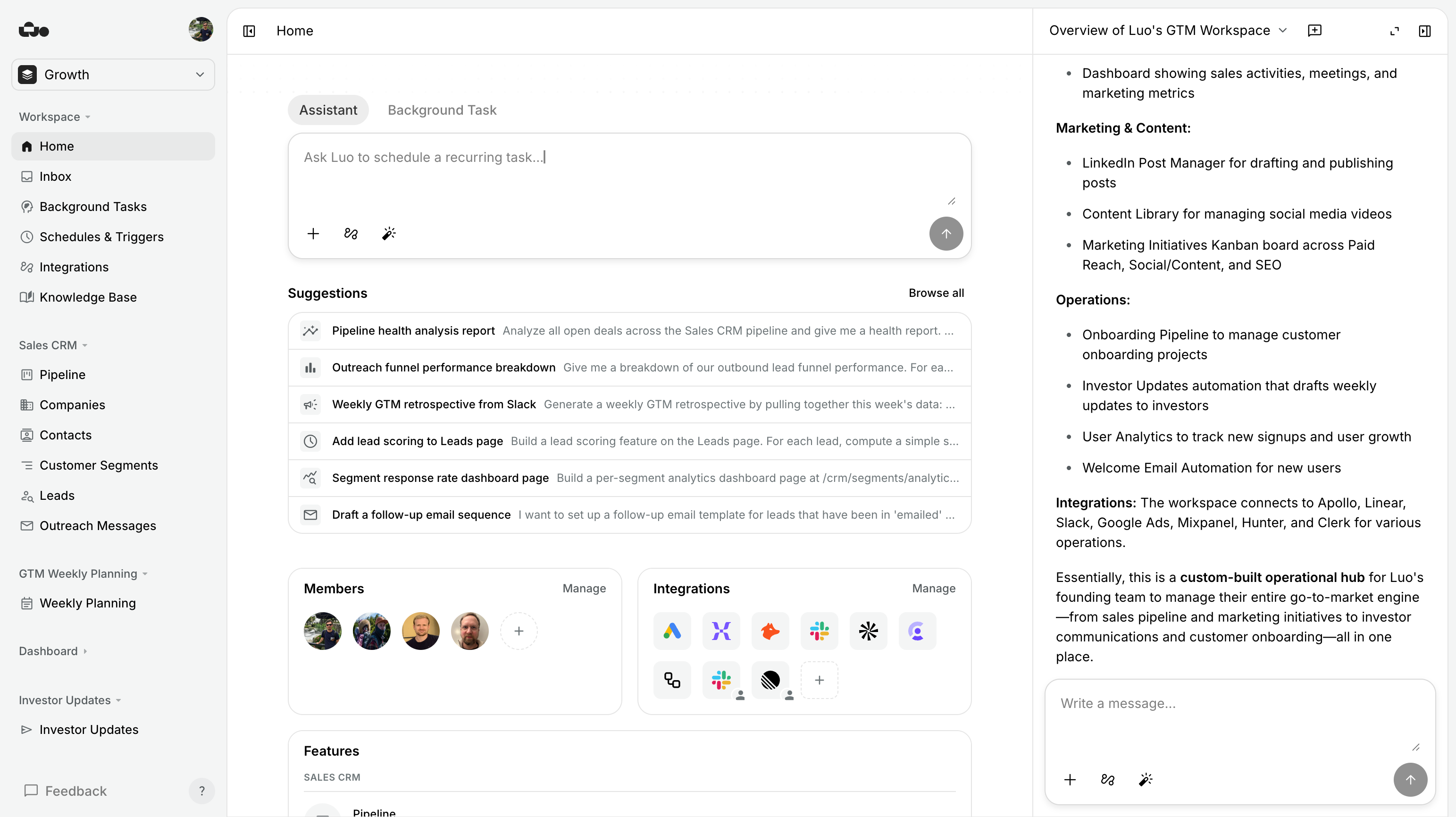
Try Luo in 5 minutes
Keep your Outlook, your Teams, your OneDrive. Pick one workflow you’ve been meaning to build as proper software — and describe it to Luo.
Last updated: June 2026. Microsoft 365 Copilot is a product of Microsoft Corporation; Luo is unaffiliated. If anything’s out of date, tell us.